

A scraping API is a cloud-based service that extracts data from websites on your behalf. You send a URL, and the API handles proxy rotation, JavaScript rendering, CAPTCHA solving, and anti-bot bypass — then returns clean, structured data. Scraping APIs eliminate the need to build and maintain your own scraping infrastructure, making web data collection accessible to any developer or business team.
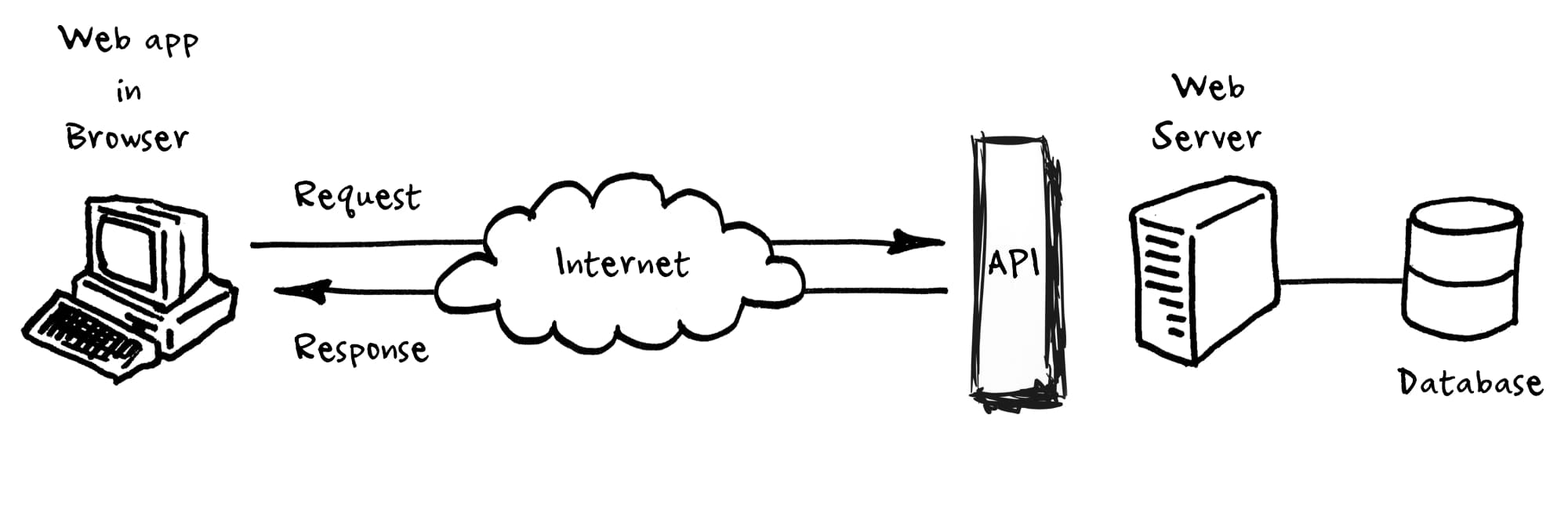
How Does a Scraping API Work?
A scraping API works as a managed layer between your application and the target website. Instead of writing custom scrapers that handle proxies, headers, and rendering yourself, you make a single HTTP request to the API endpoint. Here's what happens behind the scenes.
| Step | What Happens | Why It Matters |
|---|---|---|
| 1. Send request | Your app sends a URL to the API endpoint | One line of code replaces hundreds of lines of scraper logic |
| 2. Proxy selection | API picks an appropriate residential or datacenter proxy | Prevents IP blocks and geographic restrictions |
| 3. Browser rendering | Headless browser loads the page and executes JavaScript | Captures data from React, Angular, and dynamic sites |
| 4. Anti-bot bypass | API solves CAPTCHAs and navigates bot detection | Maintains access to protected sites like Amazon and Google |
| 5. Data extraction | API parses HTML and returns JSON, CSV, or raw HTML | Structured data ready for analysis without manual parsing |
| 6. Retry handling | Failed requests are automatically retried with different proxies | Maximizes success rates without additional code |
According to Zyte's guide to scraping APIs, modern scraping APIs achieve 95-99%+ success rates across most websites by combining these techniques automatically. The developer just sends a URL and receives data back.
For example, ScrapingAPI.ai handles all six steps in a single API call with flat per-request pricing. You don't need to configure proxies, install headless browsers, or write CAPTCHA-solving logic.
What Are the Main Benefits of Using a Scraping API?
Scraping APIs save development time, reduce infrastructure costs, and improve data collection reliability. Here are the specific advantages we've seen after 18 months of building and testing scraping tools.
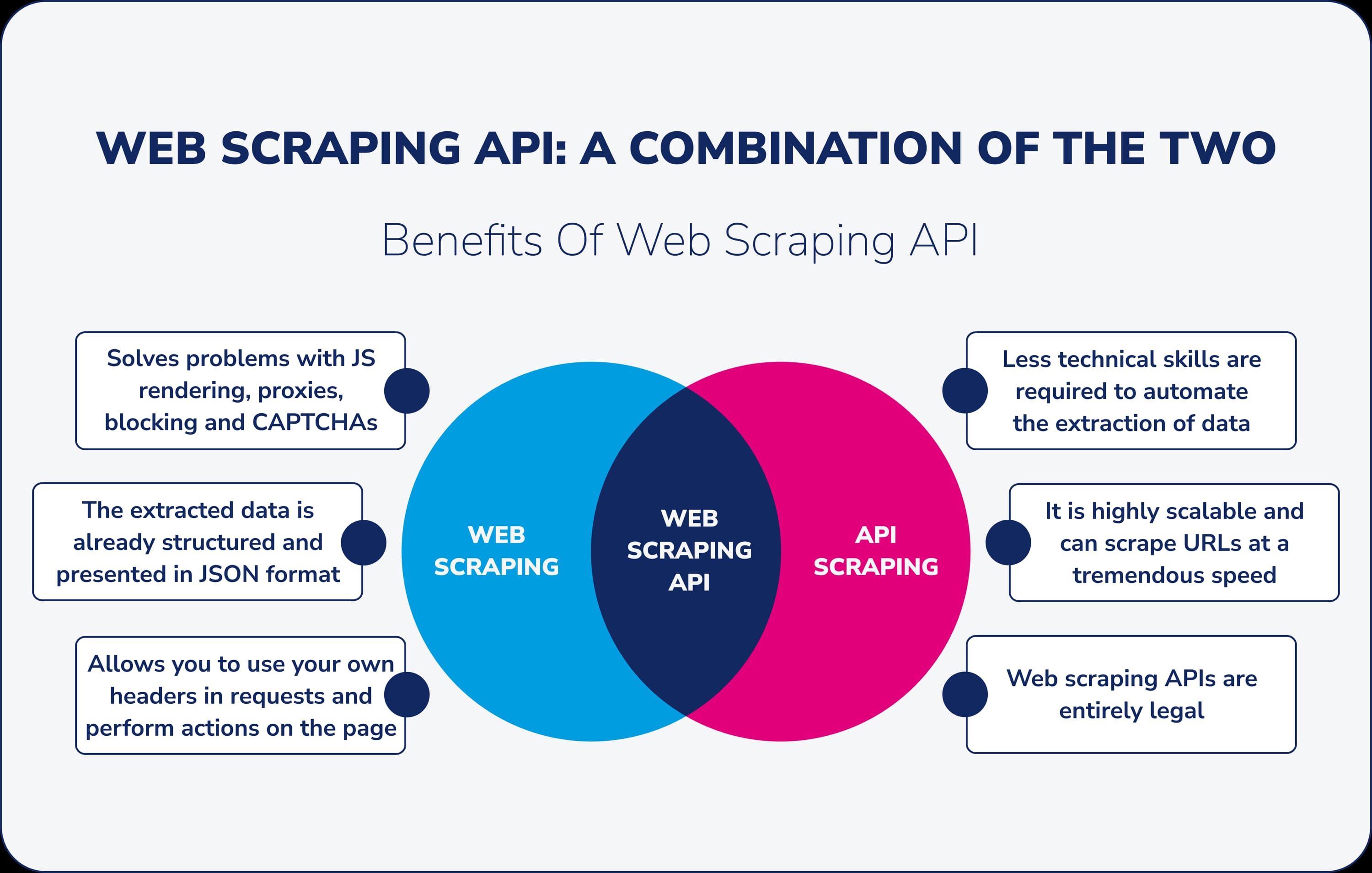
Speed of deployment: A scraping API gets you from zero to extracting data in minutes. Building a custom scraper with proxy management, CAPTCHA solving, and retry logic typically takes 2-4 weeks of development time. With a scraping API, you write 5-10 lines of code.
Maintained infrastructure: Websites change their anti-bot measures constantly. When a site updates its Cloudflare configuration or adds new CAPTCHA types, the API provider updates their systems — you don't have to touch your code. We've tracked sites that update their bot detection monthly.
Cost predictability: Running your own scraping infrastructure requires proxy subscriptions ($200-$2,000/month), headless browser servers ($100-$500/month), and engineering time for maintenance. A scraping API bundles everything into a single per-request fee.
Scalability: Scraping APIs handle concurrent request management automatically. Whether you need 100 or 100,000 pages per day, the API scales without you provisioning additional servers.
The web scraping market reached $1.03 billion in 2025 and is projected to grow to $2 billion by 2030 at a 14.2% CAGR. According to Mordor Intelligence, this growth is driven by increasing enterprise demand for real-time data and AI training datasets.
What Are the Limitations You Should Know About?
Scraping APIs aren't perfect for every situation. Understanding the trade-offs helps you decide whether an API or a custom scraper is the better fit for your project.
| Limitation | Impact | Workaround |
|---|---|---|
| Per-request cost at high volume | Millions of daily requests get expensive | Negotiate volume discounts or build hybrid solutions |
| Less control over request details | Can't customize headers, cookies, or session flow | Choose APIs that offer advanced configuration options |
| Provider dependency | If the API goes down, your data pipeline stops | Use multiple providers or build fallback scrapers |
| Data format constraints | Some APIs return only HTML, not structured JSON | Pick APIs with built-in data extraction and parsing |
| Geographic limitations | Not all APIs offer proxies in every country | Check geo-coverage before committing to a provider |
For teams scraping fewer than 10,000 pages per month, a scraping API almost always makes more financial sense than building custom infrastructure. Above 1 million daily requests, a hybrid approach — using an API for difficult targets and custom scrapers for simple ones — often delivers the best cost-to-performance ratio.
What Are the Most Common Use Cases?
Scraping APIs serve every industry that needs web data at scale. According to PromptCloud's 2025 report, over 65% of organizations now use web scraping to build datasets for AI and machine learning.

| Industry | Use Case | Data Collected | Market Share |
|---|---|---|---|
| Finance and Insurance | Market monitoring, risk analysis | Stock prices, company filings, news sentiment | 30% of market |
| E-commerce | Price monitoring, product intelligence | Competitor prices, product details, reviews | 25% of market |
| AI and Machine Learning | Training data collection, RAG pipelines | Web content for LLM training and fine-tuning | Fastest growing |
| Real Estate | Property tracking, market analysis | Listings, prices, rental trends, neighborhood data | Growing segment |
| Marketing | Brand monitoring, lead generation | Social mentions, contact info, ad creative | 15.6% CAGR |
The AI and LLM training use case is growing fastest. Teams scrape websites to build domain-specific datasets for fine-tuning language models, creating RAG (Retrieval-Augmented Generation) pipelines, and feeding AI agents with real-time web context. For more on this, see our guide on how to scrape websites for LLM training.
How Does a Scraping API Compare to Building Your Own Scraper?
This is the most common question teams ask before choosing their data collection approach. Here's an honest comparison based on our experience building both.
| Factor | Scraping API | DIY Custom Scraper |
|---|---|---|
| Setup time | Minutes to hours | Days to weeks |
| Proxy management | Included and automated | You buy and rotate proxies yourself |
| CAPTCHA handling | Built-in solving | Integrate third-party solver or skip targets |
| JS rendering | Automatic headless browser | Install and maintain Puppeteer/Playwright |
| Maintenance | Provider handles updates | You fix broken scrapers when sites change |
| Cost at low volume | $20-$100/month | $300-$1,000/month (proxies + servers) |
| Cost at high volume | Can get expensive | More cost-efficient above 1M+ daily requests |
| Customization | Limited to API parameters | Full control over every request detail |
According to Oxylabs' comparison, scraping APIs are the clear winner for teams that need data quickly without investing in infrastructure. Custom scrapers make sense for teams with dedicated engineering resources and very specific requirements that APIs can't accommodate.
For most teams, we recommend starting with a scraping API and only building custom scrapers for the few targets that require specialized handling. This hybrid approach gives you the best of both worlds. Compare top providers in our best web scraping API guide.
What Should You Look for When Choosing a Scraping API?
Not all scraping APIs are equal. Here are the six factors that matter most based on our experience testing dozens of providers.
- Transparent pricing: Avoid credit multiplier systems where JavaScript rendering or CAPTCHA solving costs extra credits. The best APIs charge a flat rate per request with all features included. See how providers compare in our ScrapingBee alternatives and Bright Data alternatives comparisons.
- JavaScript rendering on all plans: Most modern websites require JS rendering. If a provider locks this feature behind premium tiers, the entry price is misleading.
- Success rate data: Ask for or test success rates on your specific target sites. Industry averages (95-99%) don't predict performance on every domain. Check our CAPTCHA bypass guide for how anti-bot systems affect rates.
- Response time: Speed matters for real-time monitoring and large-scale jobs. The best APIs return results in 2-5 seconds, not 10-15.
- Data output format: Look for APIs that return structured JSON, not just raw HTML. Built-in parsing saves significant post-processing time.
- Compliance and ethics: Choose providers that respect robots.txt, support rate limiting, and follow ethical scraping practices. Our ethical web scraping guide covers the legal framework.
What Are the Key Takeaways?
A scraping API is the fastest way to start collecting web data reliably. It handles proxies, JavaScript rendering, CAPTCHA solving, and retries so you can focus on using the data rather than building infrastructure.
The web scraping market is growing at 14.2% annually, driven by AI training data needs and enterprise demand for real-time competitive intelligence. According to Apify's State of Web Scraping report, over 42% of enterprise data budgets now go toward public web data collection.
For most teams, a scraping API like ScrapingAPI.ai provides the best balance of cost, speed, and reliability. Start with an API for your data collection needs and only invest in custom scrapers when you hit the specific edge cases that APIs can't handle.


